Voice-Controlled Stands: Ergonomics Meets Recognition
By Dmitri Novak • 19th Feb
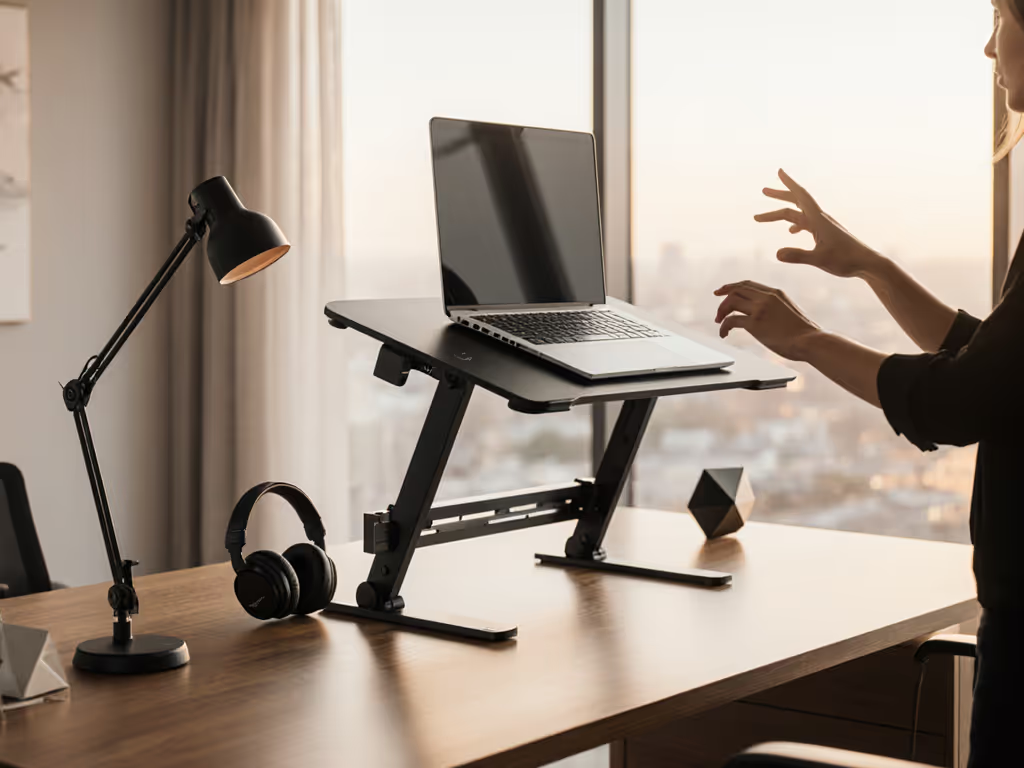
The modern knowledge worker faces a paradox: screens have become essential tools, yet most people position them poorly. A voice-controlled workspace stand paired with solid ergonomic design addresses this head-on, letting you adjust monitor height, angle, and camera position through hands-free commands while maintaining the stability and materials integrity that prevent neck strain and equipment sag. This article dives into the engineered trade-offs - materials, mechanisms, microphone placement, and speech recognition positioning - that separate stands that deliver real value from those that merely add complexity.
1. Why Voice Control Matters in Ergonomic Workspace Design
Voice commands in the workspace solve a real friction point: adjusting your screen position mid-workflow without breaking focus or reaching for a clunky mechanical lever. For professionals who shift between sitting and standing, rotate monitors for collaboration, or need to position a camera at eye level for calls, voice integration removes the micro-pause that makes people skip adjustments altogether.
The ergonomic payoff isn't trivial. Research confirms that standing desks reduce sedentary time by 84-116 minutes per day when people actually use them[3]. But adoption hinges on ease of transition. A voice-enabled stand removes friction: "Alexa, standing position" takes one second and doesn't interrupt typing. By comparison, reaching for a control panel or pressing a button on the frame requires conscious attention and often gets skipped.
However - and this is critical - voice control adds layers of integration, firmware, and potential points of failure. The core mechanism that prevents wobble, sag, and hinge creep is what matters first. Voice is the optimized interface layered on top of a fundamentally sound stand. Pay for function, not fluff - optimize price-to-performance first every single time.
2. The Core Ergonomic Requirements for Voice-Optimized Stands
Before voice integration, a stand must solve the fundamental problem: keeping your screen at true eye level without drift or bounce, across a range that fits your height and workstation depth.
The critical specifications are:
- Lift range (vertical adjustment): 8-12 inches is typical. Taller users (>6'2") often need more; petite users (<5'3") may need less. Verify the range matches your desk height and desired sit-to-stand span.
- Tilt angle (forward/back rotation): 0-25 degrees allows you to angle the screen down slightly, reducing neck extension and glare. Stands lacking tilt force you to crane upward, defeating ergonomic purpose.
- Swivel (left/right rotation): Critical for shared desks or when you pivot between tasks. Some stands offer 360-degree rotation; others lock in place. Swivel means flexibility; fixed mounts save a few dollars but reduce adaptability.
- Depth compatibility: A stand designed for 13-inch ultrabooks performs differently under a 17-inch workstation. Shallow desks (<20 inches) eliminate rear-mounting options entirely.
Voice commands control only the actuator - the motor or pneumatic system that moves the stand. The skeleton underneath - hinges, fasteners, frame geometry - determines whether that adjustment is smooth or wobbly, repeatable or subject to creep.
3. Material & Mechanism Trade-Offs: What Governs Real-World Stability
Stability is where shortcuts bite. I learned this the hard way with a shoebox-height stand I bought to save money in school. Within weeks, the cheap hinge sagged under the weight of my laptop, the stand tilted forward, and the whole assembly creaked when I typed. Returning it taught me a visceral lesson: stability is engineered at stress points - materials, hinge design, and fastener quality - not in the overall footprint.
Here's what separates stands that hold their position from those that drift:
Steel vs. Aluminum vs. Composite Materials
Steel (carbon or stainless) offers the highest stiffness-to-weight ratio and longest material fatigue life. High-end frames use carbon steel bases that "pass the wobble test even at max height," a durability marker confirmed across premium models[3]. Aluminum is lighter - critical for portable stands - but requires thicker cross-sections to match steel rigidity. Composite materials (plastic reinforced with glass fiber) reduce cost but add compliance; over years of adjustment cycles, they creep.
Hinge and Fastener Geometry
A stand's hinge is its spine. Cheap hinges use stamped steel with single-point bushings; premium hinges employ dual-point or ball-bearing designs that distribute lateral load. The fasteners holding the hinge to the frame matter equally. Loose rivets or shallow-thread fasteners loosen with vibration; proper flanged bolts with loctite stay put.
Friction and Damping
Smooth adjustment requires controlled friction. Springs that are too weak allow the stand to sag under load; springs that are too stiff make voice-controlled motors work harder, consuming battery (in portable models) and shortening motor life. Premium stands use progressive-rate springs that trade stiffness smoothly across the range.
4. Microphone Optimal Placement and Speech Recognition Positioning
Voice control works only if the stand's integrated or nearby microphone reliably captures your commands. This introduces a spatial challenge: where should the mic live relative to your mouth and the stand frame itself?
Mic Placement Considerations:
- On-frame integration (ideal for clutter reduction): Some stands embed a small microphone in the front bezel or side rail, within 12-18 inches of your face. This placement captures speech clearly but requires acoustic design to prevent picking up keyboard noise or fan hum from the laptop itself. High-end stands use noise-cancellation firmware to filter these.
- Separate smart speaker placement: Relying on a nearby Alexa or Google Home speaker decouples the mic from the stand. This simplifies stand design but introduces latency and cross-room signal issues if your mic is across the room. Effective range for reliable voice recognition is typically 8-10 feet in quiet rooms; open offices degrade this further.
- Wireless headset integration: Some professional setups pair voice commands with a Bluetooth headset mic. Clean but adds cost and another device to manage.
Speech Recognition Positioning:
AI assistants (Alexa, Google Assistant, Siri) require clear line-of-sight audio. For dictation accuracy and mic placement specifics, see our speech recognition stand setup guide. Background noise above ~70 dB (office chatter, traffic) causes command rejection or misinterpretation. Test your workspace's acoustic reality before committing to voice-control stands; a quiet home office will see 95%+ command success rates, while an open office may drop to 60-70%.
Command latency - the delay between voice input and stand movement - should be under 2 seconds. Anything longer breaks flow. Cheap implementations using cloud-only processing add 1-2 second round trips. Premium systems use local device processing for immediate response.
5. Height & Adjustment Range: The Comfort Window That Matches Your Body
A voice-controlled workspace stand is only useful if the adjustment range actually fits your body. This is where most generic stands fail.
Your "comfort range" is the span between seated eye-level and standing eye-level. For most adults:
- Seated (screen 20-24 inches from face): Screen center should sit at or 15-20 degrees below horizontal eye line.
- Standing (screen 24-28 inches from face): Screen center at or slightly above horizontal, reducing neck extension.
The math: if you're 5'8" and your desk is 30 inches tall, seated comfort requires the screen roughly 10 inches higher than sitting position. If you're 6'2", it's closer to 12 inches. A stand offering only 6 inches of range forces a choice: optimize for sitting (neck strain while standing) or standing (screen too low while seated).
Real-world fit windows:
Uplift V3 and similar premium brands offer 30+ inches of total range (from desk-mount to max height), which covers most sit-stand transitions[4]. Budget models often max out at 8-10 inches of stand-specific adjustment, forcing users to pair them with desk risers or keyboard trays - extra costs that erode the savings.
Voice control only matters if the range matters. If your range is too narrow, you won't use standing, and voice commands become a gimmick. Measure first; optimize second. Calculate your exact heights with our eye-level height calculator.
6. Thermal Performance and CPU/GPU Longevity Under Load
Enclosed or poorly ventilated stands trap heat, degrading laptop performance and battery lifespan. Modern MacBook Pro and Windows workstations push significant thermal load; sit them on a closed surface, and thermal throttling kicks in within minutes of heavy CPU or GPU use.
Cooling trade-offs:
- Open/mesh designs (many portable stands) allow airflow around the laptop base. Con: less stability for very heavy machines; more visible clutter.
- Solid platforms with front vents balance looks and thermals. Requires airflow testing under real load (video encoding, 3D modeling) to verify efficacy. Many stands claim "cooling" without load-tested data.
- Raised designs with gaps (platforms on stilts) maximize underside airflow. Con: less compatible with shallow desks; cameras positioned too high relative to monitor.
Heat-induced thermal throttling costs you 15-25% of processing speed[3] and shortens battery cycles by ~5% per 5°C rise above 35°C. Learn the thermodynamics of laptop cooling to choose designs that prevent throttling. Over a 4-year laptop lifespan, poor cooling equals real performance and resale-value loss.
Stand designs with integrated fan mounts or passive heat channels (guiding air from hot zones) add cost ($20-50) but protect your machine's longevity. This is one area where paying extra delivers clear ROI.
7. Portability vs. Permanence: Lifecycle Math for Your Setup
Voice-control integration typically implies some level of power delivery - either via USB, mains power, or battery. This changes the portability calculus.
Portable voice stands (wireless, under 2 lbs):
- Battery life: 8-40 hours per charge, depending on motor type and adjustment frequency.
- Cost: $100-200 premium over passive stands.
- Lifestyle fit: Digital nomads, hybrid workers who move between home and office, frequent travelers.
- Trade-off: Smaller adjustment range; lighter-duty materials; voice commands depend on nearby smart speaker, since embedded mics have limited range.
Permanent voice stands (mains-powered, 8-15 lbs):
- Always-on voice readiness; larger lift capacity (handle 17-inch machines or dual monitors).
- Cost: Often cheaper than portable equivalents ($200-400) since power supply is built in.
- Lifestyle fit: Home offices, dedicated desk setups, professional studios.
- Trade-off: Not suitable for travel; cable management becomes critical.
The ROI question: Will you actually move this stand between locations? If the answer is "probably not," a mains-powered stand with more stability and larger adjustment range delivers better value. If you travel monthly, portability justifies the premium. Most users optimize for permanence first, then realize six months in that their work context has shifted - then they're stuck with expensive dead weight.
Buy once, buy right means matching the stand's portability footprint to your actual mobility pattern, not your aspirational one.
8. Integration with AI Assistants and Smart Features
Voice control is a gateway to deeper smart integration. Premium stands now support:
- Preset height profiles: "Alexa, tall mode" saves and recalls your standing position; "short mode" reverts to sitting. Stored across sessions, so no recalibration.
- Routine integration: Pair voice commands with broader workflows. "Alexa, start work" raises the desk, opens your calendar, and connects to video call software[3].
- Cross-device coordination: Some stands link with smart lights or thermostat setups to optimize your entire workspace environment on a single voice command.
- Activity logging: Bluetooth-connected stands can track how long you've been sitting vs. standing, sending reminders to move. Real accountability, not just nagging.
The catch: each smart feature adds firmware surface area and potential failure modes. A simple mechanical stand lasts 10+ years; a voice-enabled model's smart components may become obsolete or unsupported in 5-7 years. Plan for eventual replacement of the "smart" layer while the mechanical core lives on.
9. Cost-to-Performance Analysis: Where to Invest, Where to Skip
Building a clear cost model reveals where stands justify their price:
Entry-level ($80-150, no voice):
- Simple tilt mechanism; fixed height or minimal adjustment (6-8 inches).
- Best for: Single-monitor fixed setups, light-use laptops.
- Material callouts: Often plastic hinges; limited weight capacity (under 10 lbs).
- Lifespan expectation: 3-4 years before hinge creep or frame cracks.
Mid-range ($150-300, limited voice integration):
- 10-15 inches of adjustment; aluminum or mixed-material frame; potential Bluetooth connectivity for height presets.
- Best for: Hybrid workers with moderate sit-stand needs; taller or shorter users requiring wider ranges.
- Material callouts: Aluminum frame with steel hinges; fasteners that resist loosening.
- Lifespan expectation: 5-7 years; mechanical performance holds; smart features may degrade.
Premium ($300-600+, full voice + smart features):
- 20+ inches of adjustment; all-steel frame or high-grade aluminum; integrated or tightly coupled voice assistant; preset storage; activity logging.
- Best for: Home office professionals, content creators, people optimizing for long-term setup stability and comfort.
- Material callouts: Carbon steel base; dual-motor systems for quiet operation; internal cable routing to reduce snagging.
- Lifespan expectation: 7-10+ years; mechanical reliability high; plan for smart-component refresh at 5-year mark.
Lifecycle ROI:
A professional spending 40+ hours per week in a home office - say, a software engineer or designer - faces ~2,000 work hours annually. A premium stand costing $400 amortizes to $0.20 per hour over 5 years. See how correct positioning improves output in our ergonomics-to-productivity analysis. If that stand prevents even one week of neck or shoulder strain (8 work hours × 4 weeks lost productivity = $3,200 in lost output at $100/hour billing), the stand's ROI is positive. Most professionals easily clear this threshold.
Conversely, a student working 10 hours per week in a dorm room may not justify a $400 stand. A $120 mid-range option covers the basics and can be replaced if needed.
10. Assembly, Repairability, and Long-Term Durability Markers
A stand that requires 90-minute assembly discourages owners from adjusting or recalibrating it frequently - which defeats the purpose of a voice-controlled model. Assembly time is a hidden cost factor.
Durability markers to verify before purchase:
- Hinge design: Dual-point or ball-bearing hinges (premium) vs. single-point stamped hinges (budget). Premium hinges typically outlast the laptop by 2-3 years.
- Fastener documentation: Stands with published fastener specs (M6 flanged bolts with nylon-insert loctite) indicate engineered durability. Vague descriptions ("stainless steel bolts") hide corners cut.
- Warranty terms: Reputable brands offer 3-5 year warranties on mechanical components; voice components often carry 1-2 years. Mismatched warranties signal weak confidence in smart layers.
- Availability of replacement parts: Can you buy a new hinge or spring pack separately? Or is a $40 failure a "replace entire unit" situation? Serviceable design = lower true cost of ownership.
- Cable management robustness: Stands that route cables through protective channels resist pinching and abrasion. Exposed routing leads to accidental unplugging and fraying.
Durability isn't a luxury; it's lifecycle math. A stand that fails at year 4 cost you more per month than a $100/month lease - and leasing doesn't exist for stands. Build durability into the initial spec.
11. Voice Control Trade-Offs in Real Offices
A voice command that works perfectly in your quiet home office may fail or frustrate in open-plan environments. This isn't a flaw in the stand; it's acoustic reality.
- Quiet spaces (home offices, private studios): Voice success rate 95%+. Latency under 1 second. Voice control becomes a genuine productivity asset.
- Normal offices (open desks, conference areas): Success rate 75-85%. Occasional misinterpretations ("stand up" vs. "standup" meeting). Voice useful but not critical.
- Loud environments (construction, factories, event venues): Voice unreliable. Fallback to manual buttons essential. Voice control a nice-to-have, not a dependency.
Before paying premium price for voice integration, audit your workspace's acoustic profile. If background noise exceeds 65-70 dB frequently, prioritize mechanical reliability and manual controls over smart features.
Summary and Final Verdict
A voice-controlled workspace stand that delivers real value marries three things: engineered mechanical stability (materials, hinges, fasteners), a sensible adjustment range matched to your height and desk setup, and voice integration that actually reduces friction without adding complexity.
Here's the scorecard for your decision:
Choose voice control if:
- You transition between sitting and standing multiple times daily and find manually adjusting clunky.
- Your workspace is quiet enough for reliable voice recognition (65 dB or below).
- Your budget accommodates the $100-200 premium over equivalent passive stands.
- You work in a professional setting (video calls, client meetings) where camera positioning and consistent screen height matter.
- You plan to keep the stand for 5+ years, making the smart-component refresh manageable.
Skip voice control if:
- You work primarily in standing or sitting posture (infrequent transitions).
- Your workspace is noisy or shared with others who'd be bothered by voice commands.
- You prioritize maximum portability (voice stands add weight and power complexity).
- Your budget is under $200; you'll get better mechanical quality from a passive stand at that price.
The core principle: Voice control optimizes an already-good stand. It doesn't fix a fundamentally unstable or poorly-ranged design. Invest first in materials, hinge integrity, and adjustment range. Layer voice on top only when the foundation is sound.
When you find a stand that combines steel-frame stability, a range that fits your body, and reliable voice integration, you've found your buy-once choice. The goal isn't the fanciest feature set - it's the engineered stand that stays quiet, doesn't wobble at max height, and adjusts with precision. That's where your money does actual work, not just adding bells that get old after a month.
Measure your desk depth, your sitting-to-standing height difference, and your workspace noise level first. Then match a stand to those specs. Voice control should be the final layer, not the headline attraction.
Related Articles